Musa CAD: FREE, OPEN-SOURCE AUTOCAD ALTERNATIVE
CAD that moves
at 144 Hz.
Musa CAD is free, open-source 2D CAD that works the way AutoCAD does — the same commands, ribbon and shortcuts, with DWG and DXF — on Windows and Linux. Multi-threaded and GPU-accelerated, so large drawings stay smooth.
Windows installer Linux AppImage Linux Flatpak macOS disk image All releases ↗
-
flatpak install flathub org.musacad.MusaCAD -
flatpak run org.musacad.MusaCAD
New to Flatpak? Set up Flathub first ↗
- 144 Hz+ refresh target
- 1M primitives
- ~4–6 draw calls
DRAWN TO SCALE
It assembles like you
drew it yourself.
Scroll and watch a dimensioned part take shape — outlines, holes, then dimension lines and a title block — the same precise strokes Musa CAD renders live at 144 Hz.
□ endpoint △ midpoint ○ center
F8 · constrained to axis
1M primitives · ~4–6 draw calls
triple-buffered · 144 Hz+
SEE IT WORK
Real drawings, drawn in Musa CAD.
Every picture here is the app itself, captured from a release build — a house plan, a machined flange, a construction detail. No mock-ups.
-
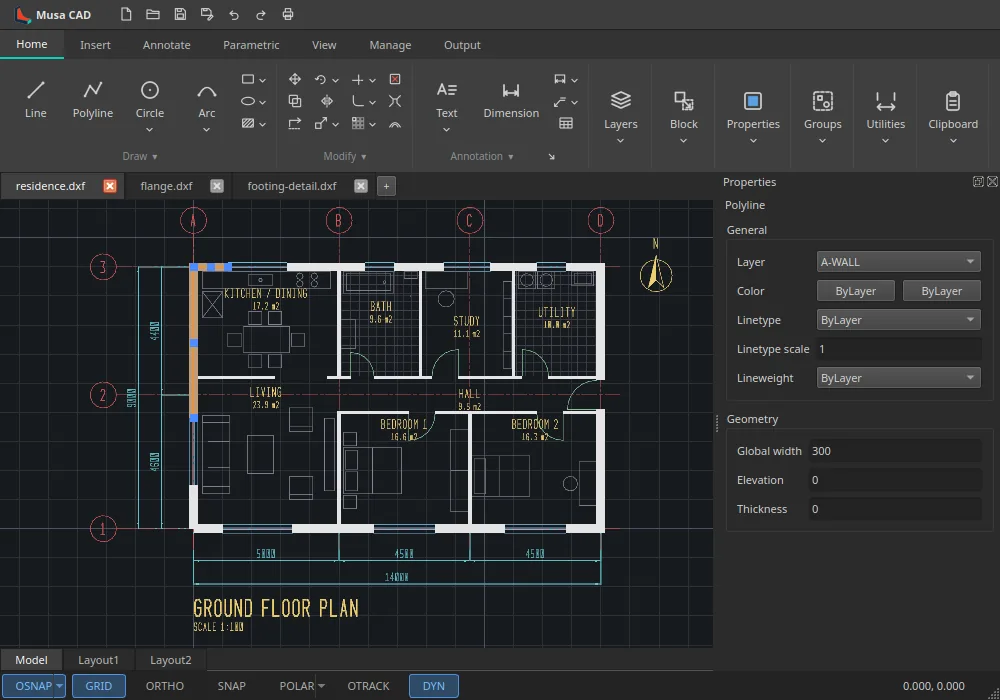
The ribbon, drawing tabs and Properties palette, with a wall of a house plan selected. -
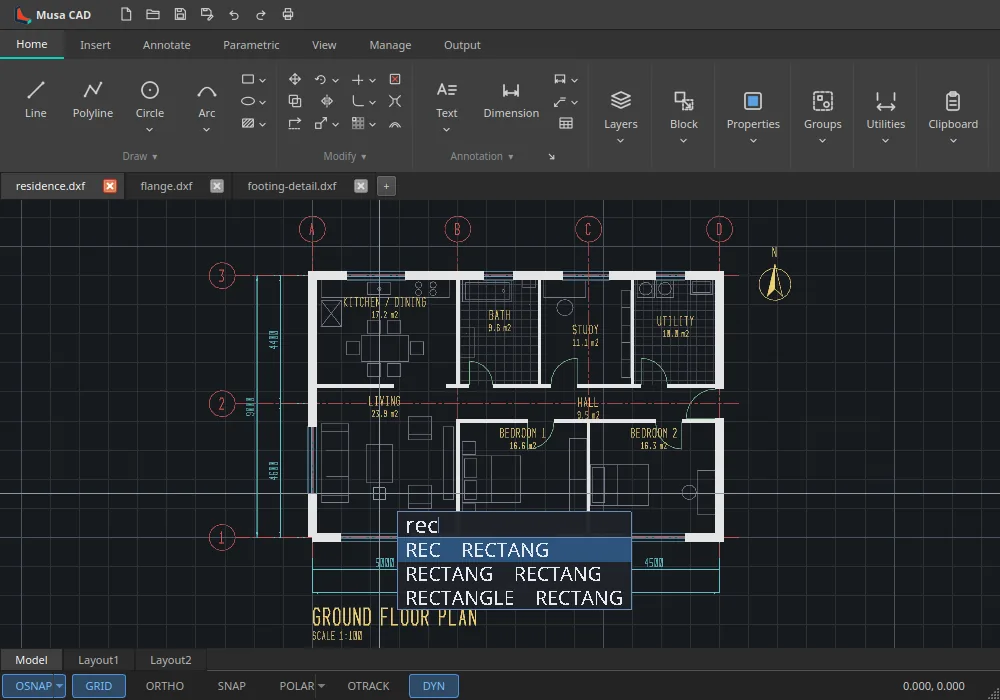
Commands typed at the cursor, their matches offered as you type. -
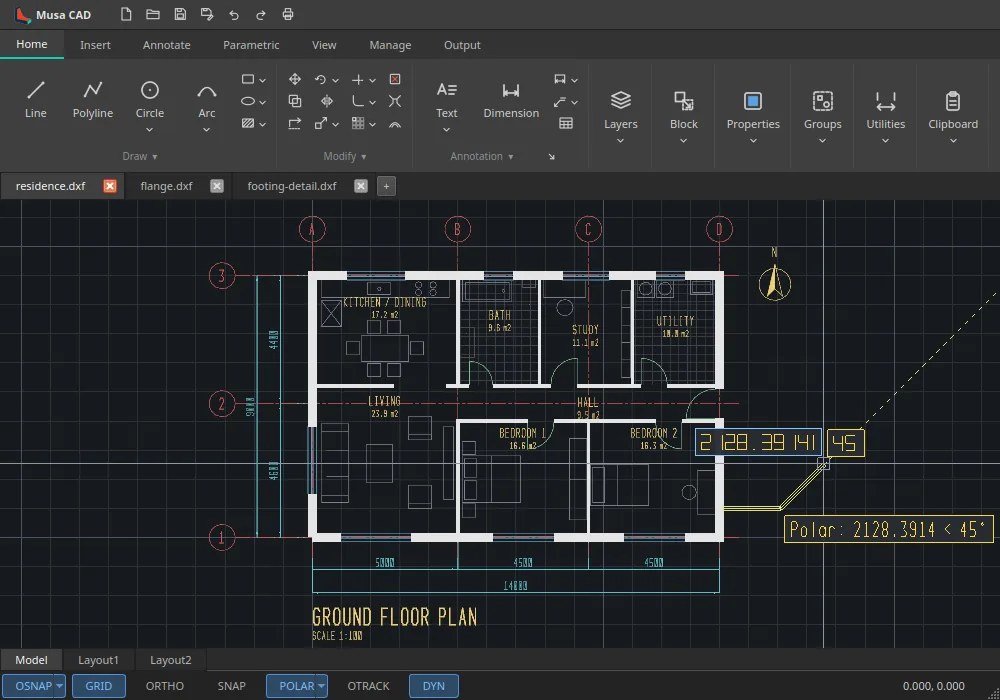
Dynamic input: length and angle at the cursor, polar tracking holding 45°. -
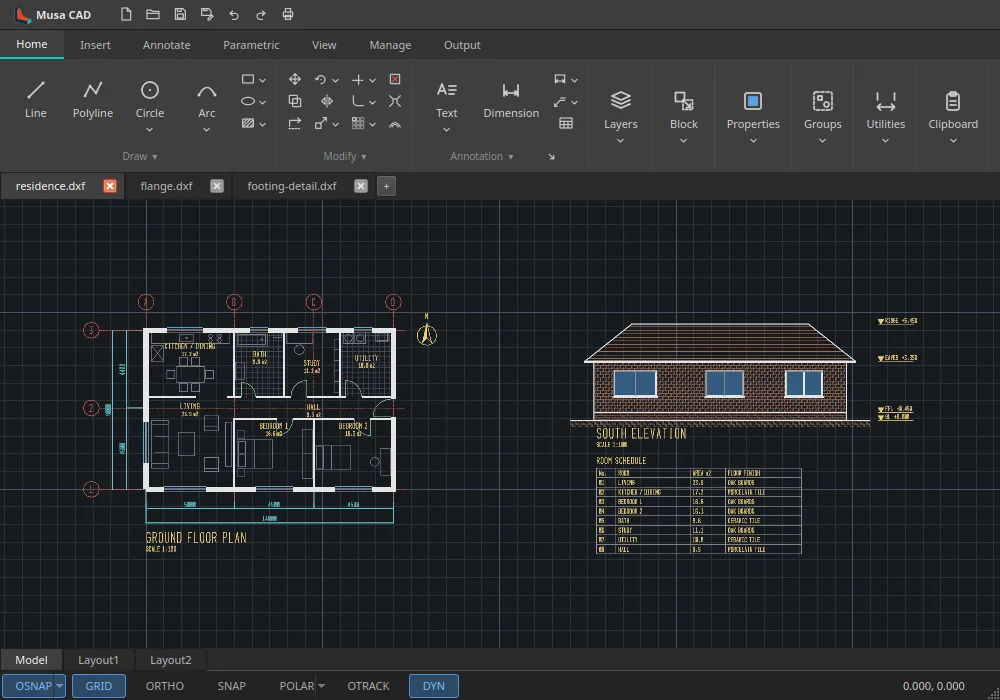
A house plan with its south elevation and room schedule. -
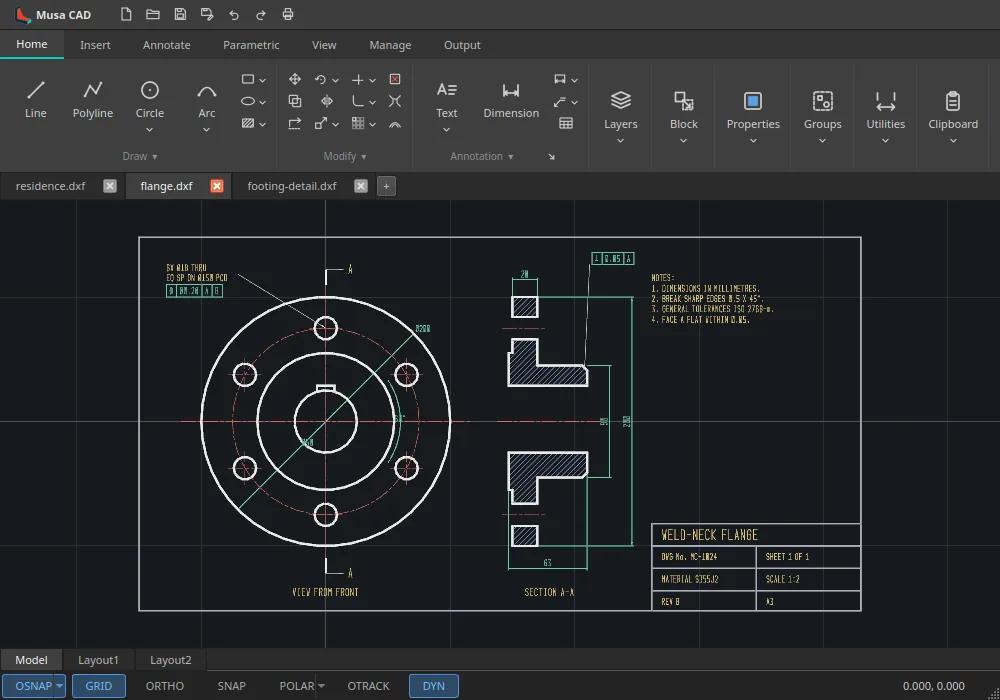
A dimensioned flange with a section view and geometric tolerances. -
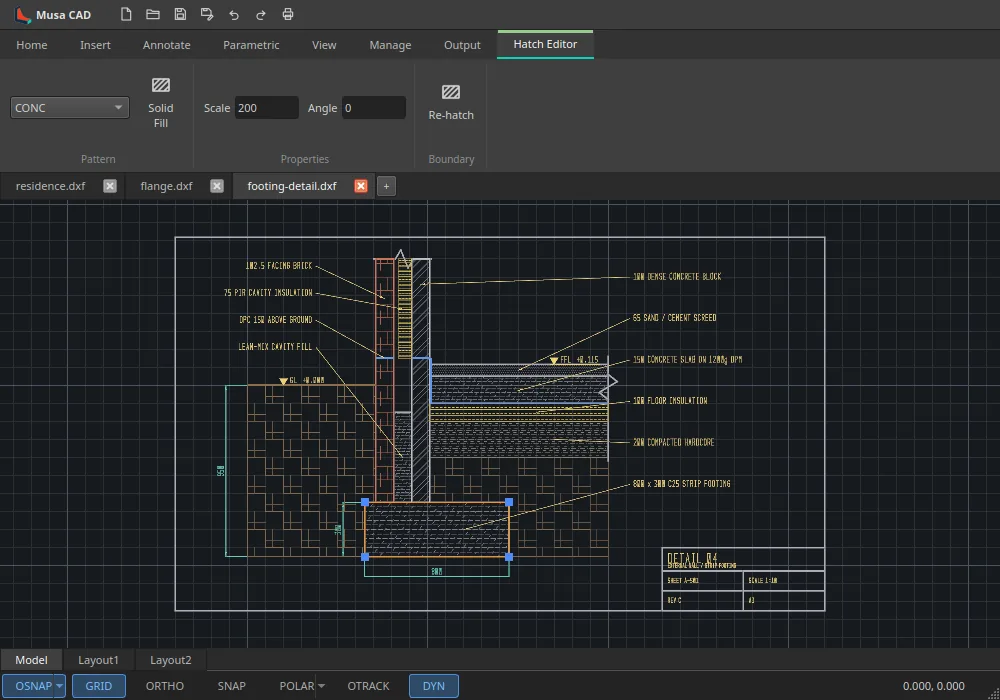
The Hatch Editor on a wall and footing construction detail.
FOR DRAFTERS
Everything you draft with, where you expect it.
Musa CAD follows AutoCAD’s ribbon, command line, prompts and shortcuts, so years of habit carry straight over — for plans, sections, details and schematics.
-
Draw
Lines, polylines with widths, arcs, circles, ellipses, splines, hatches and gradients.
LINE · PLINE · HATCH
-
Modify
Move, copy, rotate, scale, stretch, trim, extend, fillet, offset and arrays — with grips.
TRIM · OFFSET · FILLET
-
Draft precisely
Object snaps, polar and object snap tracking, ortho, and dynamic input at the cursor.
OSNAP · F8 · F12
-
Annotate
Dimensions with named styles, leaders, text, tables and geometric tolerancing.
DIMSTYLE · MTEXT
-
Organize
Layers, linetypes and lineweights; blocks with attributes; external references.
LAYER · BLOCK · XREF
-
Lay out and plot
Paper space with viewports, plotted to a printer or to true vector PDF.
PLOT · Ctrl+P
-
Open your files
DXF read and write built in; DWG through the free ODA File Converter.
DWG · DXF
-
Script it
The same program runs headless to check drawings and plot them to PDF in scripts and CI.
musacad --plot
Coming from AutoCAD? See what carries over, and what doesn’t yet.
WHAT'S INSIDE
Engineered like a precision instrument
Eight load-bearing systems, no shortcuts. Three threads, a data-oriented core, and a GPU viewport that never blinks.
-
Three-thread architecture
UI/command, geometry/compute, and render threads communicate ONLY via a multi-producer command queue and a lock-free triple-buffered snapshot. No shared mutable state.
MPSC · lock-free -
Data-oriented core
Cache-friendly Structure-of-Arrays storage indexed by generational handles; no virtual dispatch on hot paths.
~32 ns/line · 1M in ~32 ms -
Own geometry kernel
A narrow IGeometryKernel interface with a complete native 2D backend (NativeKernel2D). No third-party CAD dependency.
clone-and-build clean -
GPU-accelerated viewport
Backend-agnostic RAII GPU abstraction (OpenGL 4.6 DSA backend). Instanced rendering draws a 1,000,000-primitive scene in ~4–6 draw calls.
~420–490 FPS offscreen -
AutoCAD-style command line
Table-driven aliases (L, C, PL, A, REC, ERASE, U, ZOOM); absolute / relative / polar input with history, ENTER-repeat, ESC-cancel.
@dx,dy · @dist<angle -
Snapping & drawing aids
OSNAP (endpoint, midpoint, center, intersection, nearest), ortho + polar tracking, grid snap, cursor-pick selection.
F3 osnap · F8 ortho -
Undo / redo + shortcuts
Classic toggles — F3 osnap, F7 grid, F8 ortho, F9 snap, F10 polar, F12 dynamic input — with full undo/redo.
Ctrl+Z · Ctrl+Y -
DXF read/write built in
DWG import/export via an external converter (ODA File Converter or LibreDWG) invoked as a subprocess, never linked — so Musa CAD stays LGPL-clean.
.musa · DXF · DWG
MEASURED, NOT MARKETED
Numbers that hold at 144 Hz.
Every figure below is observed, not aspirational — a data-oriented core and a GPU viewport that uploads zero scene bytes on pan and zoom.
-
144 Hz+
viewport refresh target
-
1,000,000
primitives per scene
-
~ 4–6
draw calls
-
~ 32 ns / line
insert one line
-
420–490 FPS
measured offscreen · UHD 630 / Mesa
COMMAND LINE
Type a verb, draw a drawing.
An AutoCAD-style command line with table-driven aliases and absolute / relative @dx,dy / polar @dist<angle input. Pick a verb below and watch it resolve into geometry.
Command: LINE
Specify first point:
Specify next point or [Undo]: @120,0
Specify next point: @0,80
// pick a verb above to draw
UNDER THE HOOD
Three threads, no shared mutable state.
Work flows one way: the UI thread queues commands, the geometry thread owns the data and builds snapshots, and the render thread draws them — each hand-off is a lock-free message, never a shared lock.
-
UI / Command thread
Qt event loop
Turns input into Command messages onto an MPSC queue.
-
Geometry / Compute thread
Owns the SoA GeometryStore + kernel
Applies commands, runs the kernel, builds RenderSnapshots. Only thread that touches the store.
-
Render thread
Owns GPU device / swapchain
Draws the latest snapshot lock-free at 144 Hz+.
CLONE AND BUILD CLEAN
Get it building in three commands.
No third-party CAD dependency. Configure, build, and test with CMake presets — then grab a prebuilt release.
-
cmake --preset dev -
cmake --build --preset dev -
ctest --preset dev
Prerequisites
- C++23 compiler
- GCC 13+ · Clang 17+ · MSVC 19.38+ (VS2022 17.8)
- CMake
- 3.25+ (Presets v6)
- Ninja
- 1.10+
- Qt6
- Core / Gui / Widgets · 6.4+
- Vulkan SDK / loader
- 1.3+
Windows installer Linux AppImage Linux Flatpak macOS disk image All releases ↗
-
flatpak install flathub org.musacad.MusaCAD -
flatpak run org.musacad.MusaCAD
New to Flatpak? Set up Flathub first ↗
LGPL-3.0-or-later · clone-and-build clean
OPEN SOURCE
Built in the open, clone-and-build clean.
Musa CAD is free software under the LGPL-3.0-or-later license — no third-party CAD dependency, no hidden steps. Clone the repo, build it, and the whole engine is yours to read, run and improve.
Issues, pull requests and benchmarks welcome — thanks to everyone shaping the engine.
GNU LGPL-3.0-or-later · Windows · Linux · macOS preview · DWG and DXF